/ Safety Law / SPX Response /
Dubai's Public Safety Law: What It Asks of Venues, and Where Screens Fit
Law No. (2) of 2026 on Public Safety took effect on 1 June 2026. It asks venues for alarm systems, safety signage, evacuation measures and a safety management plan. It names no display technology and does not mandate screens. Where a screen network can support those duties, this is how.
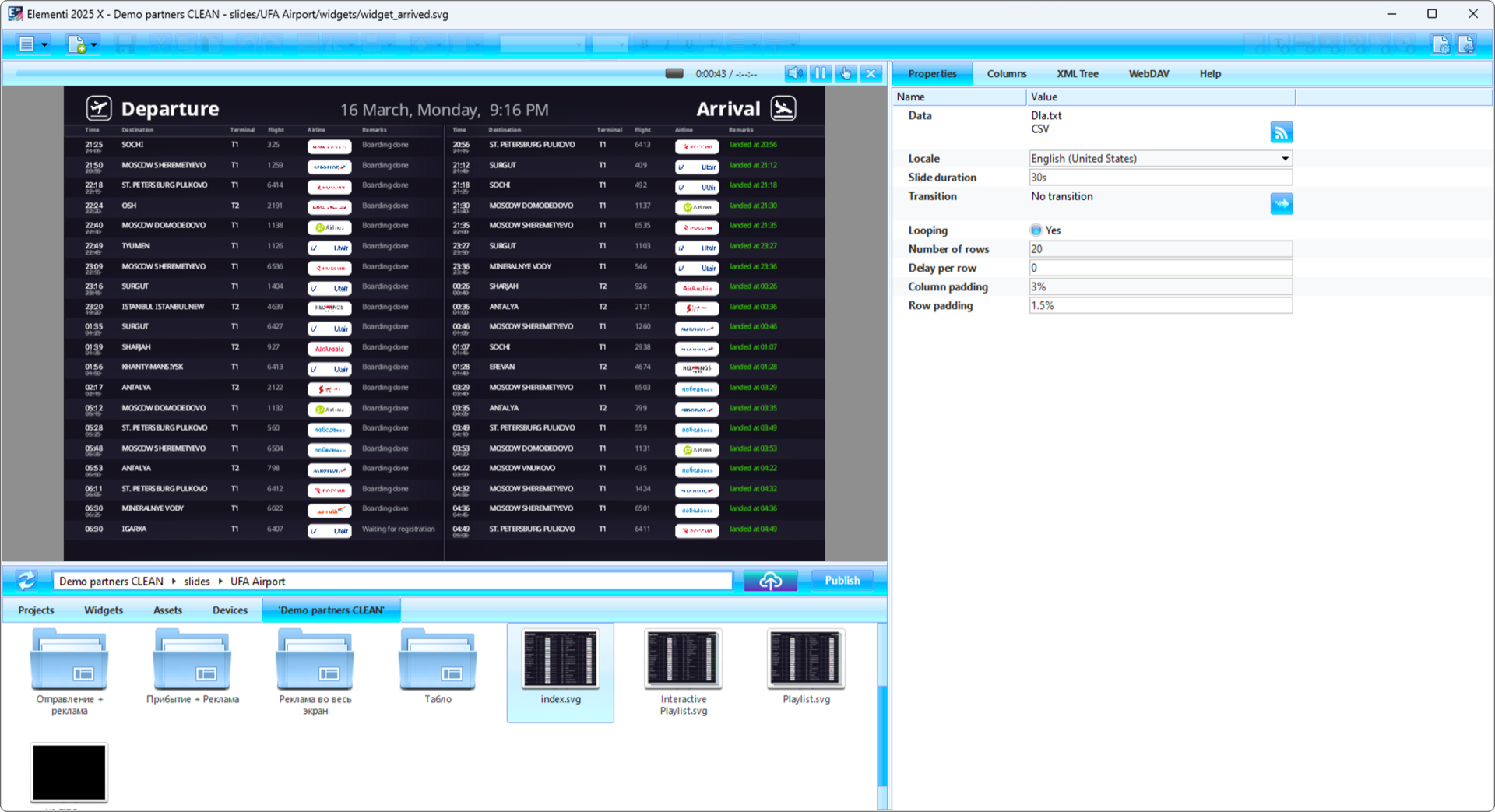
SpinetiX Elementi managing a live airport FIDS board — the same data-driven content engine powers emergency evacuation systems, crowd flow management, and safety signage for any venue type.
The Law. The Clock. The Requirements.
On 6 March 2026, Sheikh Mohammed bin Rashid Al Maktoum issued Law No. (2) of 2026 on Public Safety in Dubai. It comes into effect on 1 June 2026. Venues have a two-year compliance window. Fines range from AED 500 to AED 1,000,000, rising to AED 2,000,000 only for repeat violations within a year.
This is not a guideline. It is a law with judicial enforcement powers. Dubai Municipality's Environment, Health and Safety Agency oversees compliance, with Civil Defence acting as a coordinating entity. Inspectors can document violations and issue reports.
Venues must have fire-fighting equipment, emergency evacuation measures, first aid, alarm systems, safety signage and a public safety management plan. The law does not say what technology delivers any of this, and it does not require digital emergency broadcast, screens or building-management integration.
The practical anchor for evacuation messaging in large buildings is the UAE Fire and Life Safety Code, which expects emergency voice communication interlinked with the fire alarm in assembly, high-rise and large buildings. That is audio-based. Screens add visual guidance next to it, not in place of it.
Official Sources
Dubai Media Office — Official government announcement of Law No. (2) of 2026 on Public Safety
Khaleej Times — Detailed coverage of requirements and penalties
Gulf News — Analysis of the law's impact on venues and events
What the Law Asks vs. What a SpinetiX Screen Network Can Support
| Duty in the Law | What It Means | How Screens Can Support It |
|---|---|---|
| Safety signage | Visible, current, location-specific | Dynamic content on any screen, updated in real time |
| Emergency evacuation measures | Plans, routes, clear instructions | Per-screen unique evacuation schemes aligned to physical location |
| Alarm systems | Integration with detection and alerting | API triggers from fire alarms, red buttons, RFID, mobile apps, Crestron/Q-SYS |
| Public safety management plan | Documented procedures | Automated scenario triggers, pre-built templates, audit trail |
| Arabic + English on product safe-use instructions | A product-labelling rule, not an evacuation-display rule | Native Arabic RTL and English side by side, if you choose bilingual evacuation content |
Honest Scope
Digital signage is not mandated by Law No. (2) of 2026. A screen network that can carry evacuation content, take a fire-alarm or BMS trigger and keep playing offline is one practical way to support the alarm and safety-signage duties. Whether it is accepted is decided by the venue's safety plan and the inspecting authority. The same technology already runs in government buildings, airports, hospitals, and entertainment venues across the Middle East. For government sites see digital signage for government.
Where Printed Signs Fall Short
A printed evacuation plan shows the same thing on Monday morning and during a Friday fire. It cannot adapt to a blocked exit. It cannot switch languages. It cannot tell you which floor you are on if someone moved the sign.
Screens can change when the situation changes. A printed poster next to a fire extinguisher shows the same thing whatever is happening in the building. A screen can swap in the right message, language and route the moment a trigger fires.
On a screen network, emergency content can appear across every screen in the building at once, in the right language, with the right evacuation route for that specific location. No one runs floor to floor changing posters during a fire alarm.
The same offline-first architecture that survives cloud outages also survives building emergencies. Every SpinetiX player runs locally. No internet dependency. No cloud dependency. Playback continues when the network link is lost, though it still needs power and a working display.
— Zero-trust architecture applied to public safety
Six Capabilities That Support the Duties
1. 100% On-Premises, Zero-Dependency Architecture
Emergencies happen when systems fail. Internet goes down. Cloud becomes unreachable. SpinetiX runs 100% on-premises. No data centers. No cloud services. No internet connection required for operation.
Every player stores all content locally — evacuation schemes, emergency alerts, safety instructions, regular content. Elementi desktop application manages the entire network over LAN without a single external dependency.
2. Emergency Triggers from Any System
One trigger — all connected screens switch to emergency content. SpinetiX integrates with any system that has an API endpoint.
Live Demo
RFID Badge → Emergency Content on 2 Players
One RFID scan triggers emergency mode across two SpinetiX media players simultaneously. Each screen shows a different evacuation scheme aligned to its physical location. Floor 3 sees Floor 3 exits. Lobby sees lobby routes.
3. Location-Specific Evacuation Schemes
Each screen shows its own evacuation plan — aligned to its physical location. Floor 3 shows Floor 3 exits. Lobby shows lobby exits. Parking level B2 shows B2 routes. Every scheme is unique, pre-loaded, instantly deployed.
No generic "evacuation plan for the building." Evacuation measures only work if they guide people to safety. A plan for the wrong floor is worse than no plan at all.
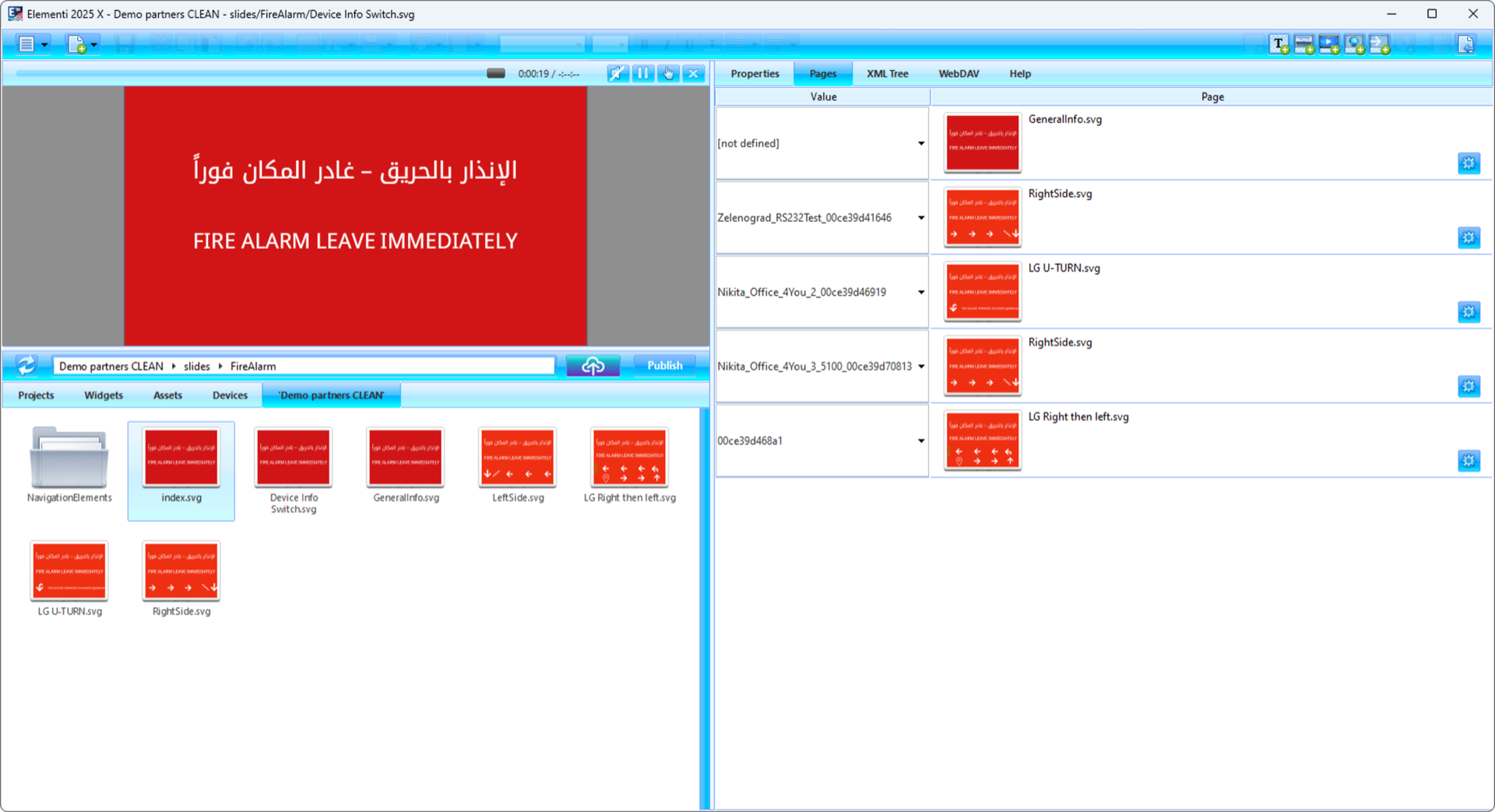
Elementi's Device Info Switch: each SpinetiX player receives its own evacuation content based on its location name. One fire alarm trigger — every screen shows the right exit route for its floor.
4. Arabic + English from Day One
The law's Arabic and English rule covers product safe-use instructions, but for a Dubai audience bilingual evacuation content is good practice. SpinetiX renders Arabic right-to-left natively — not as a plugin, not as an image overlay. Real text. Styled, colored, resized, font-matched.
Content can display both languages simultaneously, alternate on schedule, or switch via trigger. Native text rendering means accessibility tools can read it. Learn about content types →
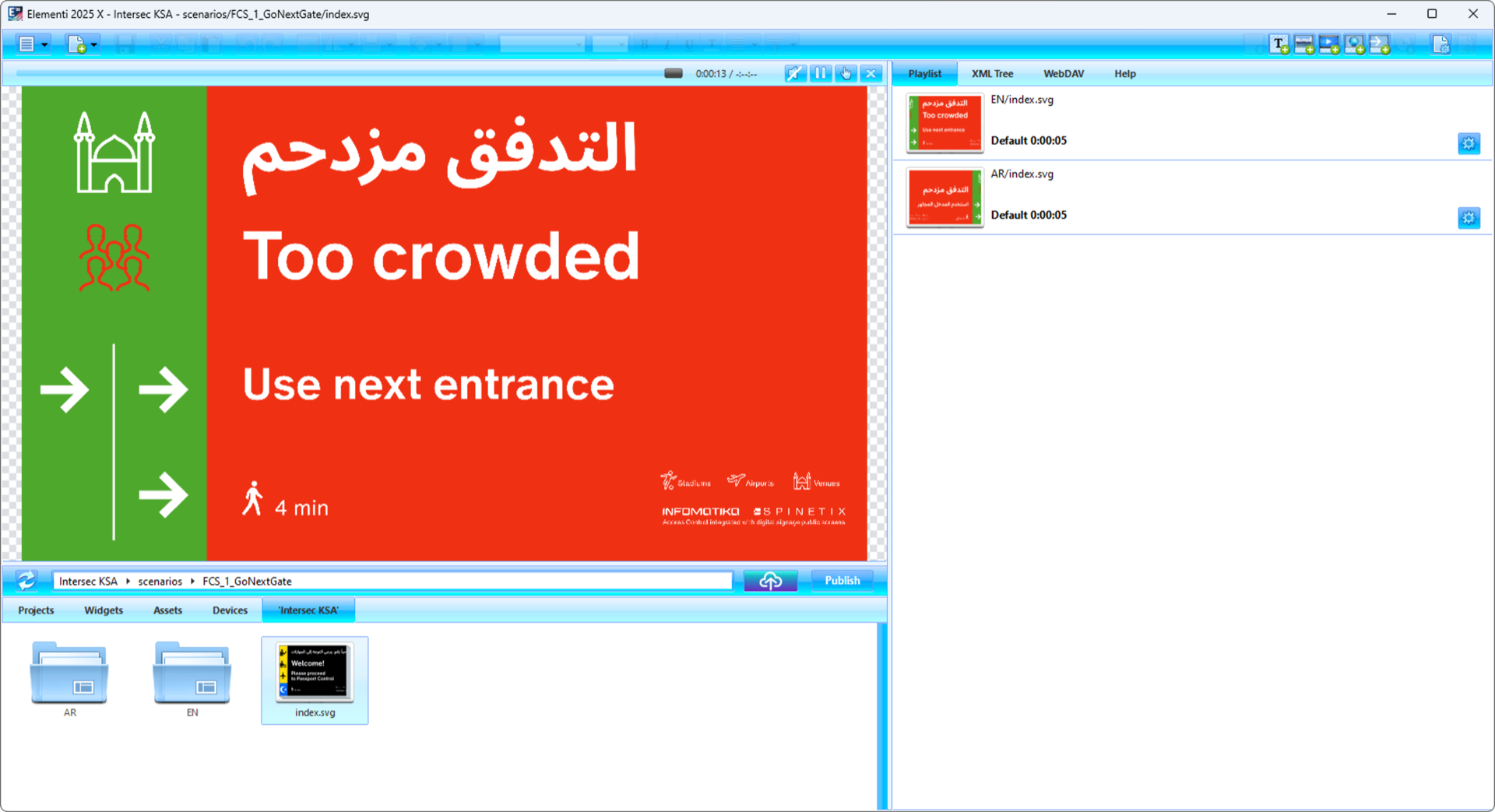
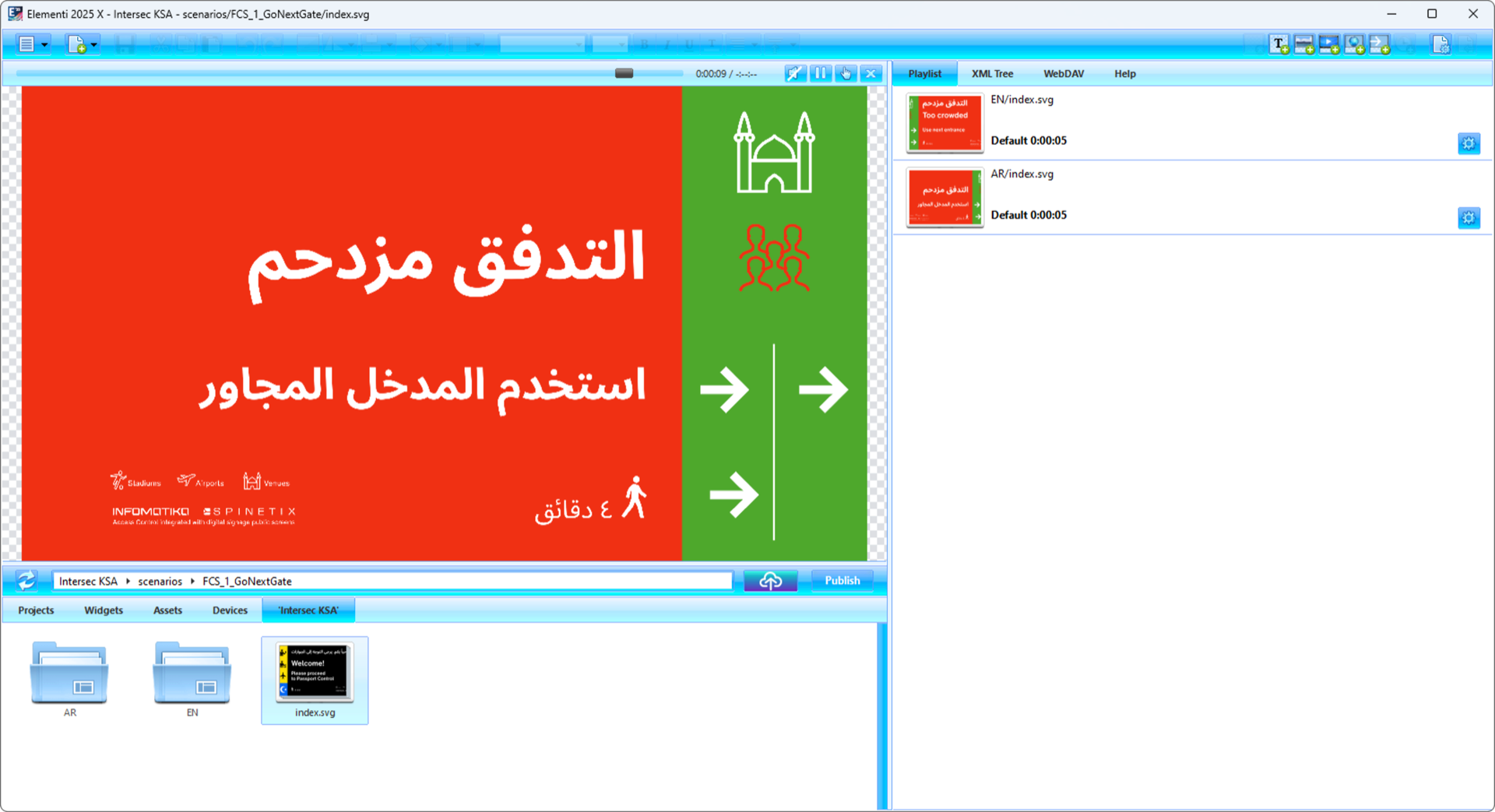
Bilingual crowd flow control: "التدفق مزدحم / Too crowded — Use next entrance." EN and AR playlists auto-switch in Elementi. Walk time and directional arrows included. Designed for stadiums, airports, and large venues.
5. Overcrowding Prevention — Real-Time
Capacity control is a normal part of a venue safety management plan. SpinetiX already integrates with the systems that count and limit people.
| Integration | What It Does | Automated Response |
|---|---|---|
| Infomatika (access gates) | Real-time people counting at entries | Close gate + show redirect on screens |
| VisionLabs (computer vision) | Camera-based crowd analytics | Heatmap display + alternate route guidance |
| Any counting API | REST/JSON occupancy data | Live occupancy counter on every screen |
Scenario Example
Hall A reaches 90% capacity → gate system triggers SpinetiX API → screens at Hall A entrance show "Please proceed to Hall B" in Arabic and English → Hall A gate closes automatically → Hall B screens show welcome and updated capacity.
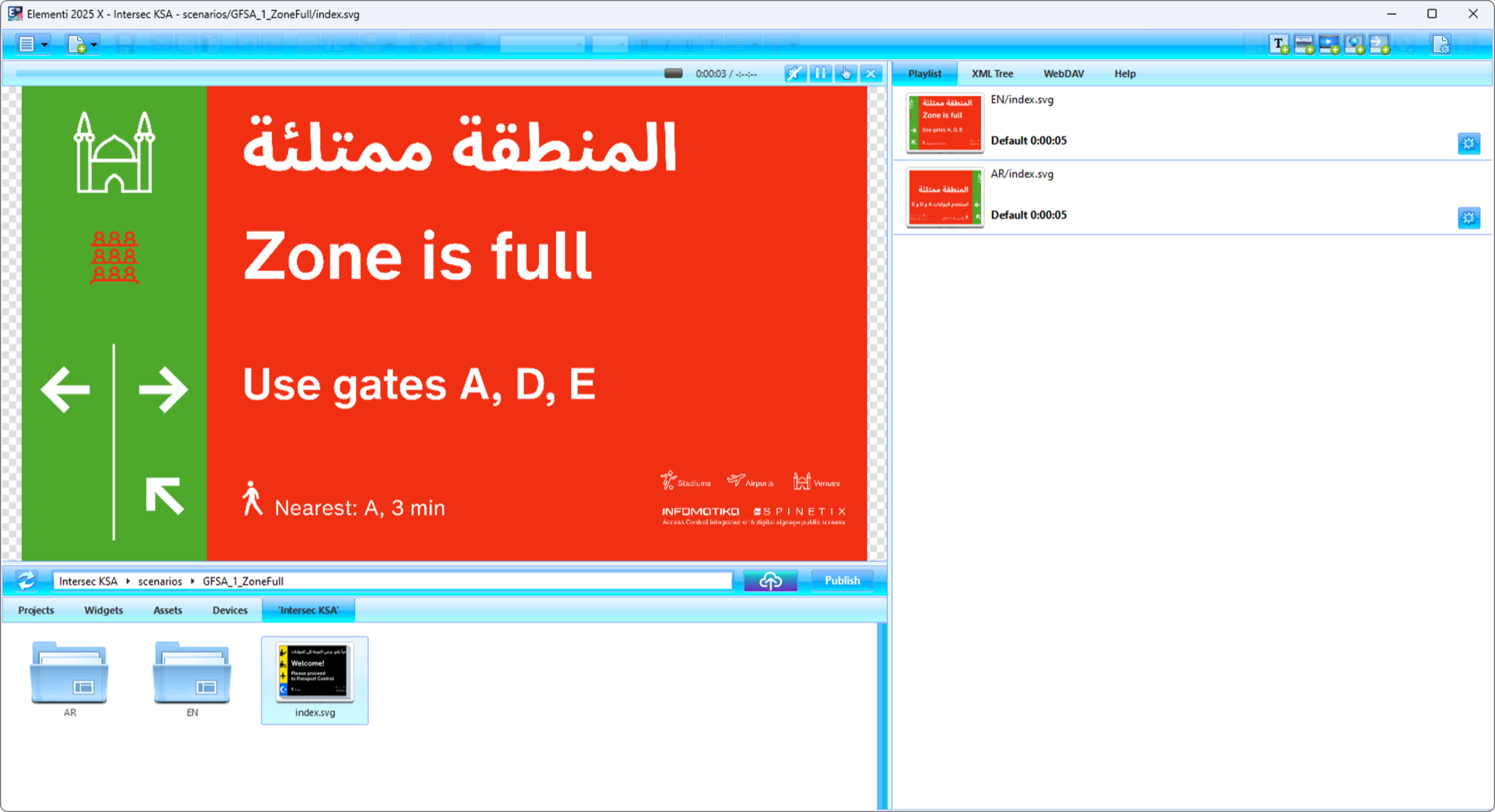
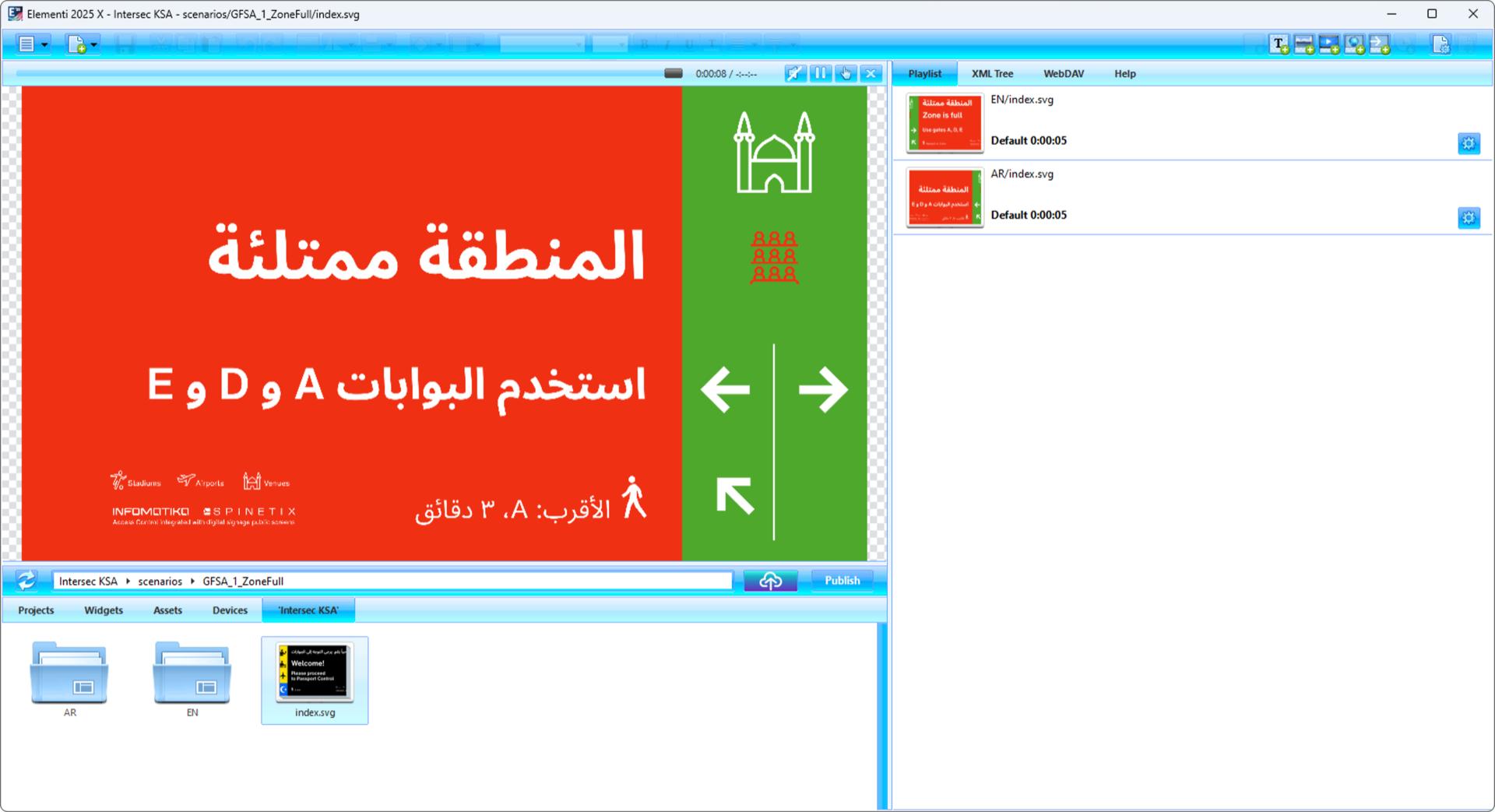
"المنطقة ممتلئة / Zone is full — Use gates A, D, E. Nearest: A, 3 min." Real-time zone capacity management with directional guidance. Content switches automatically when occupancy thresholds are reached via API triggers.
6. Dynamic Content Schemas — The Right Message at the Right Moment
Content adapts to the current situation. No manual switching. No human intervention. Pre-built scenarios activate automatically based on triggers. The same content automation engine that powers corporate lobbies and 115+ use cases handles safety scenarios.
Corporate content, wayfinding, schedules, promotions, news feeds
Evacuation routes, safety alerts, multilingual instructions, exit guidance
Redirect visitors, show alternative routes, live capacity counters
Event-specific safety rules, capacities, sponsor content, schedules
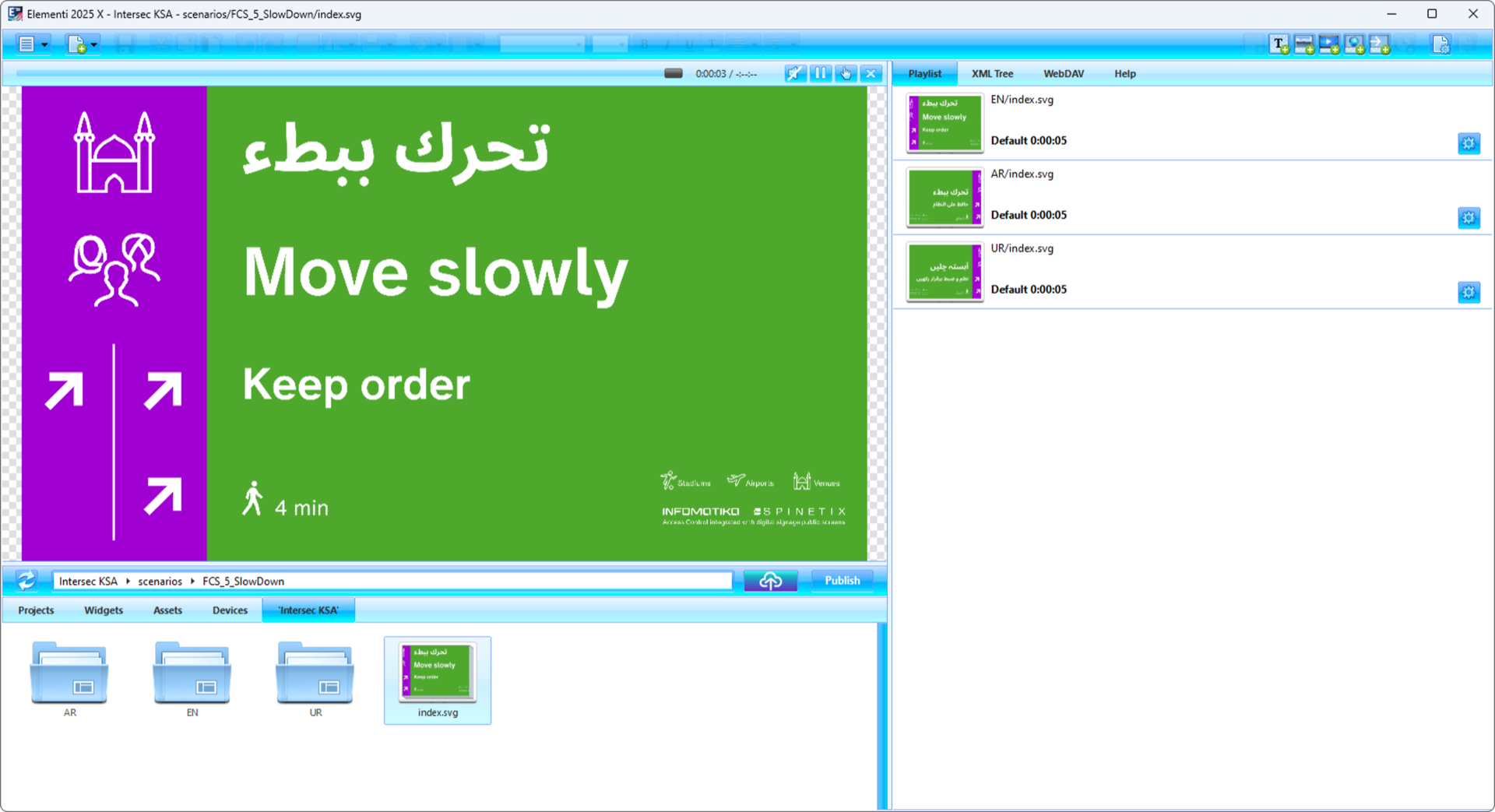
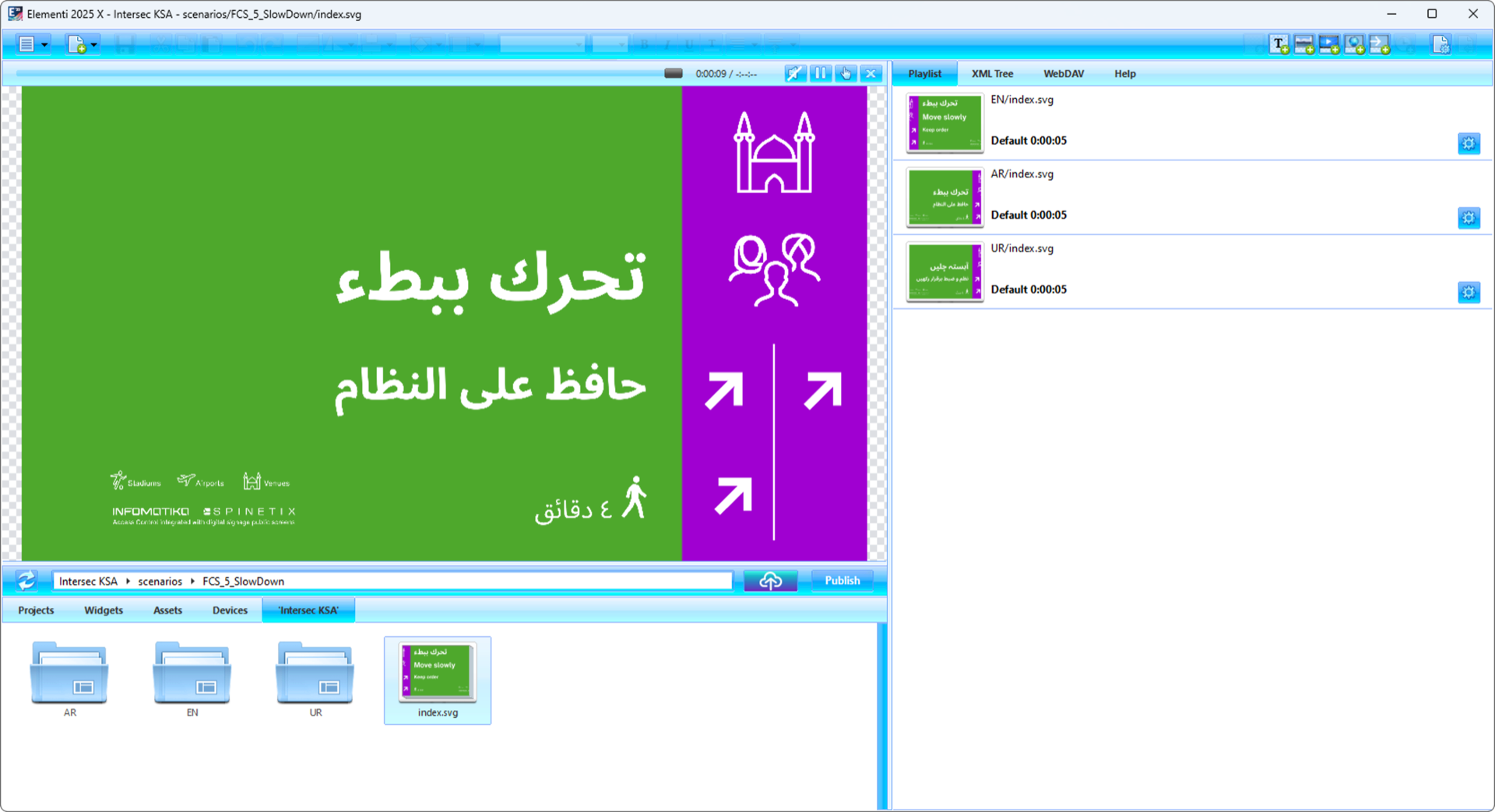
"تحرك ببطء / Move slowly — Keep order." Dynamic crowd speed management with 3 language playlists (EN, AR, UR). Context switches automatically based on crowd density sensors. Built in Elementi.
We Cover the Entire Process. From Concept to Commissioning.
This is not a product pitch. This is a deployment partnership. Media La Vista handles the entire lifecycle of equipping venues with safe, automated, dynamic signage infrastructure:
Concept & Safety Audit
Walk the venue. Map screen locations to evacuation zones. Define content scenarios.
System Design & Integration Plan
Architecture, trigger mapping, alarm system integration, overcrowding logic.
Content Creation & Templates
Bilingual evacuation schemes, emergency alerts, normal-mode content, overcrowding visuals.
Hardware Deployment & Configuration
SpinetiX players installed, configured, connected to alarm & gate systems.
Testing & Emergency Drill
Full system test. Trigger every scenario. Verify every screen. Document results.
Ongoing Support and Documentation for Your Safety Plan
Tier 1-3 local support. Quarterly reviews. Firmware updates. Records you can attach to your safety plan.
For Integrators
The New Market Segment Is Yours. We Do the Engineering.
Law No. (2) of 2026 puts safety plans, alarms and safety signage on the agenda of every mall, hotel, entertainment venue, government building, school, and stadium in Dubai, with a two-year compliance window. The law does not mandate screens, but venues now have a reason to ask what their signage can do in an emergency.
What we do for you: presales consulting, system architecture, content creation, integration engineering, deployment support, post-deployment maintenance. You bring the client relationship and the commercial opportunity. We bring 20 years of SpinetiX expertise and a full-service engineering team. Check our 40+ deployments.
Swiss-engineered. 0.4% failure rate across 10 years. One vendor, one SLA. You are not selling screens — you are becoming a partner for the signage and alarm-integration chapter of the venue's safety plan. Already have questions? Browse the FAQ or start a project.
Two Checklists. Two Audiences.
For Venue Operators & Facility Managers
Signage Checklist for Your Public Safety Management Plan
A practical list for the signage chapter of your plan. It supports the law's alarm and safety-signage duties; it does not replace the venue's approved plan or an inspector's view.
Map all screen locations to evacuation zones
Every screen needs its own evacuation scheme matching its physical position.
Pre-build bilingual emergency content
Arabic + English evacuation alerts, safety notices. Built in Elementi. Deployable instantly.
Connect fire alarm system to SpinetiX API
Automatic trigger. Alarm fires → all screens switch to emergency mode.
Install secondary trigger (red button / RFID / mobile app)
Multiple trigger methods. Redundancy. Works even if primary alarm fails.
Integrate people-counting for capacity control
Real-time occupancy on screens. Auto-redirect when thresholds reached.
Test emergency scenarios quarterly
Trigger every scenario. Verify every screen. Document results for inspections.
Document the system in your Public Safety Management Plan
The law requires a documented plan. If you use screens for evacuation guidance, describe them in it.
Printed Signs vs. Digital Safety Infrastructure
| Capability | Printed Sign | SpinetiX Digital |
|---|---|---|
| Instant emergency switch | Impossible | Seconds via API trigger |
| Location-specific content | Same poster everywhere | Unique per screen location |
| Bilingual AR + EN | Static, often outdated | Dynamic, styled, switchable |
| Overcrowding data | Not possible | Real-time counters + auto-redirect |
| Works without internet | Yes (it's paper) | Yes (offline-first architecture) |
| Visible to younger demographics | Ignored | Digital-native communication |
| Audit trail | None | Full deployment and trigger log |
Frequently Asked Questions
Does Dubai's Public Safety Law require digital signage or screens?
Does SpinetiX work without internet during an emergency?
Can emergency content override scheduled content automatically?
How does overcrowding prevention work in practice?
Is Arabic RTL support native?
How quickly do screens switch to emergency mode?
What fire alarm systems integrate with SpinetiX?
Who handles compliance — the integrator or the venue owner?
Published by
Media La Vista FZCO
SpinetiX Master Distributor for the Middle East since 2007. 20 years of digital signage deployment experience. Engineering, support, and training — on the ground, in your timezone.
Venue Operators
We handle concept, design, integration and deployment of the signage part of your safety plan. Talk to our safety infrastructure team.
Contact usIntegrators
A new conversation with venue operators. We do the engineering — you get the project. Start with 3 projects under our guidance.
Start onboardingRelated Articles
Cybersecurity Isn't a Feature. It's a 20-Year Discipline.
Market · 2026Digital Signage Is No Longer a Purchase. It's an Investment.
Security · 2026When the Cloud Burns: Zero-Trust Digital Signage
Technology · 2025Content Automation — Connect Your Data
Security · 2025SpinetiX Security Architecture
All Cases · 2025Browse All Use Cases & Guides